2 min read
Geolocation: show the right thing to the right place
Badgerlytics resolves a visitor's location from their IP at session start and hands it to your code. Use it for regional promos, shipping notices, and geo-targeted experiments.
A Texas-only promotion. A "ships free to Canada" banner. A pricing page that leads with the right currency. None of these need a personalization platform. They need to know roughly where the visitor is, and they need it before the page finishes painting.
What you get
When a new session starts, Badgerlytics resolves an approximate location from the visitor's IP and hands it back to the script. It's cached for the session (about 30 minutes) and available via getLocation():
| Field | Example |
|---|---|
country | US |
region / regionCode | Texas / TX |
city | Austin |
continent | NA |
timezone | America/Chicago |
postalCode | when known |
metroCode | 635 (Austin DMA) |
latitude / longitude | approximate |
Approximate is the key word. IP geolocation is good at country and region, decent at city, and should never be treated as a precise address.
Using it in plain JavaScript
getLocation() returns null until the session response arrives, so wait for it:
badgerlytics.onSessionStartReady(() => {const loc = badgerlytics.getLocation();if (loc?.regionCode === 'TX') {document.getElementById('texas-promo').hidden = false;}});
onSessionStartReady fires immediately if location is already cached — a resumed session within the window doesn't wait.
Using it in React
import { useEffect, useState } from 'react';import { useBadgerlyticsTracker } from '@badgerlytics/sdk/react';export function TexasPromoBanner() {const tracker = useBadgerlyticsTracker();const [show, setShow] = useState(false);useEffect(() => {if (!tracker) return;const apply = () => setShow(tracker.getLocation()?.regionCode === 'TX');tracker.onSessionStartReady ? tracker.onSessionStartReady(apply) : apply();}, [tracker]);return show ? <TexasOnlyPromo /> : null;}
The full walkthrough is in How-to: Geolocate visitors.
Where geography shows up in reporting
- Country Performance report — traffic, engagement, and conversion by country, with an A/B test breakout.
- Country filter on the Revenue and Cart Abandonment reports.
So "did the free-shipping banner move conversion in Canada" is a filter, not a spreadsheet.
Three patterns that work
- Regional offers. Show a state or country promo without a separate landing page.
- Logistics honesty. "Ships in 2 days" for domestic visitors, "5–8 days" abroad.
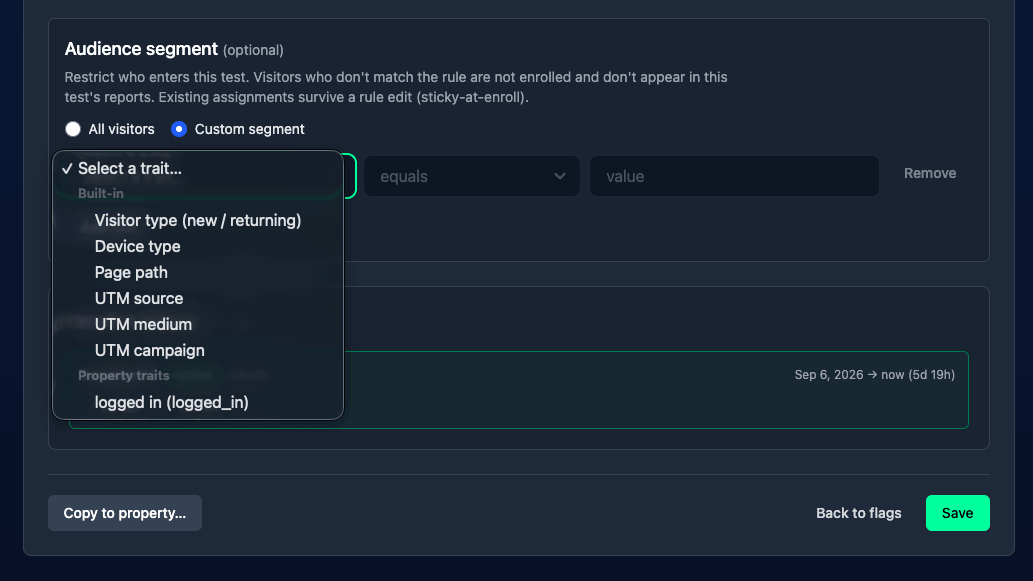
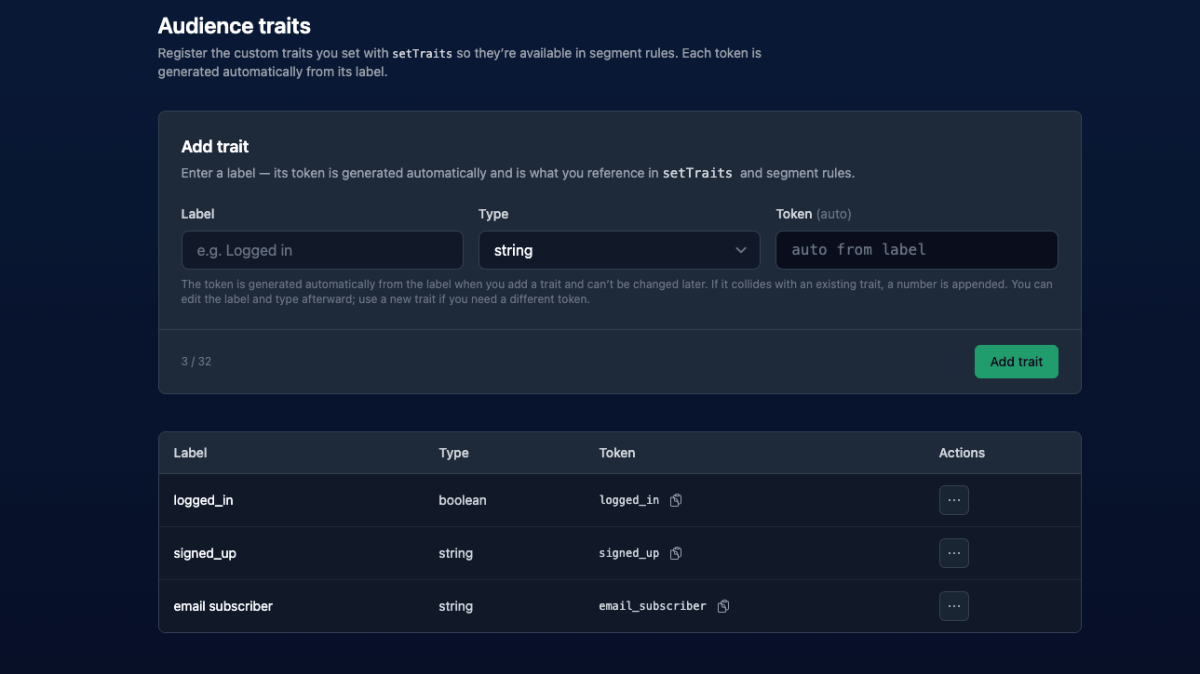
- Geo-targeted experiments. Store the location you care about as an audience trait, then target the experiment's segment on it. Only matching visitors get bucketed, so the test population is defined once, in the dashboard:
badgerlytics.onSessionStartReady(() => {const loc = badgerlytics.getLocation();if (loc?.country) {badgerlytics.setTraits({ country: loc.country });}});
Register country as a string trait first, then add country equals CA to the experiment's audience segment. More in Personalized A/B tests.
The fine print
- Location comes from the IP, so VPNs and corporate networks will occasionally be wrong. Use it for convenience, not compliance.
- It's per session, refreshed when a new session starts.
- Nothing about it identifies the visitor — it lives alongside the same anonymous visitor id as the rest of your analytics.
Reference: getLocation() and Audiences → Setup.
Quick answers
- How does Badgerlytics geolocation work?
- When a new session starts, the tracking script's session_start event returns an IP-derived location (country, region, region code, city, continent, timezone, postal code, metro code, and approximate coordinates). It's cached for the session and exposed through badgerlytics.getLocation().
- How do I show content only to visitors in a specific state or country?
- Wait for onSessionStartReady(), call getLocation(), and check a field like regionCode === 'TX' or country === 'US' before rendering the element. For React apps, do the same with the tracker from useBadgerlyticsTracker().
- Can I run an A/B test only for visitors in one country?
- Yes. Register a custom trait such as country, set it from getLocation() when the session starts, and add it to the experiment's audience segment. Only visitors matching the segment are bucketed into the test.